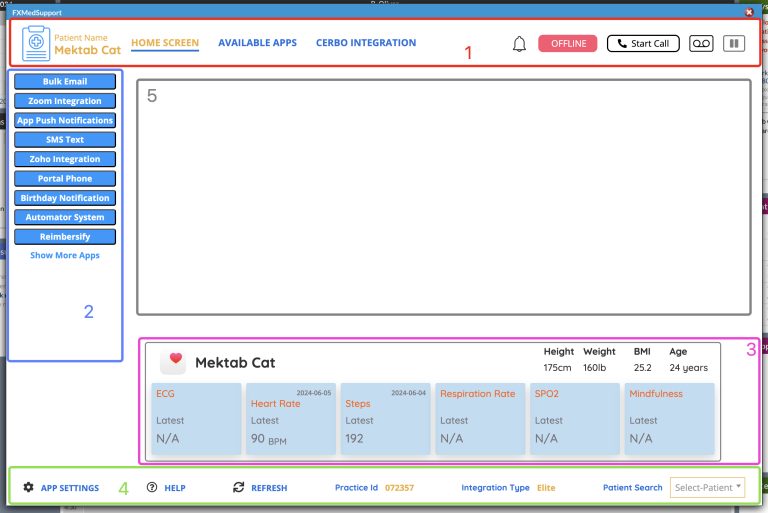
1 Header
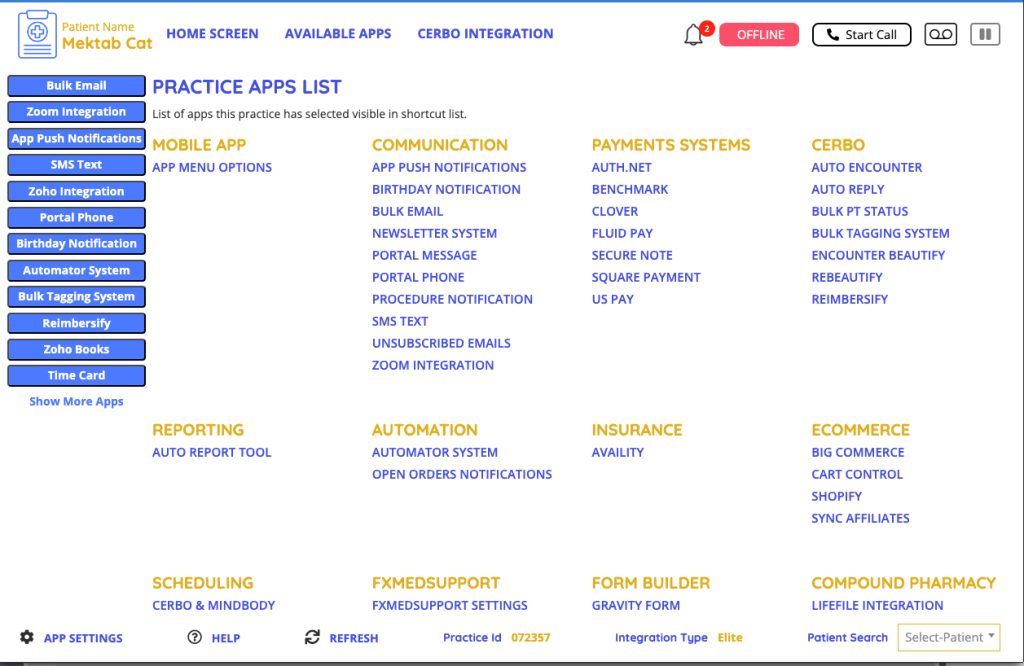
Header - Available Apps
2 App Menu
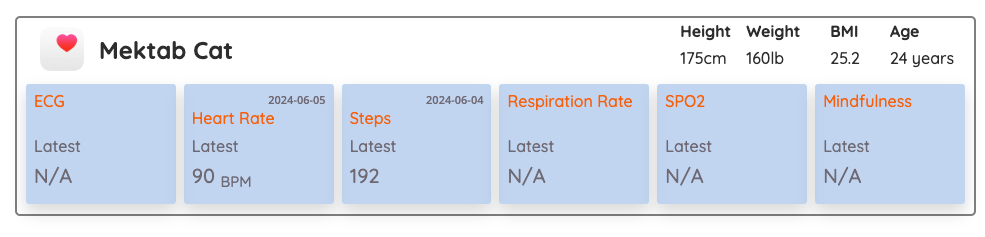
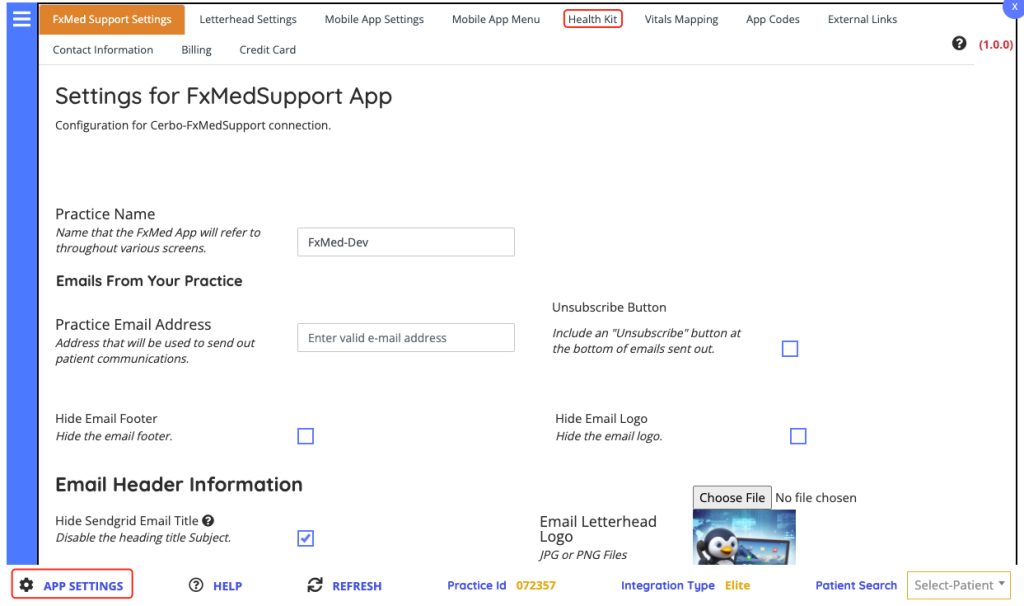
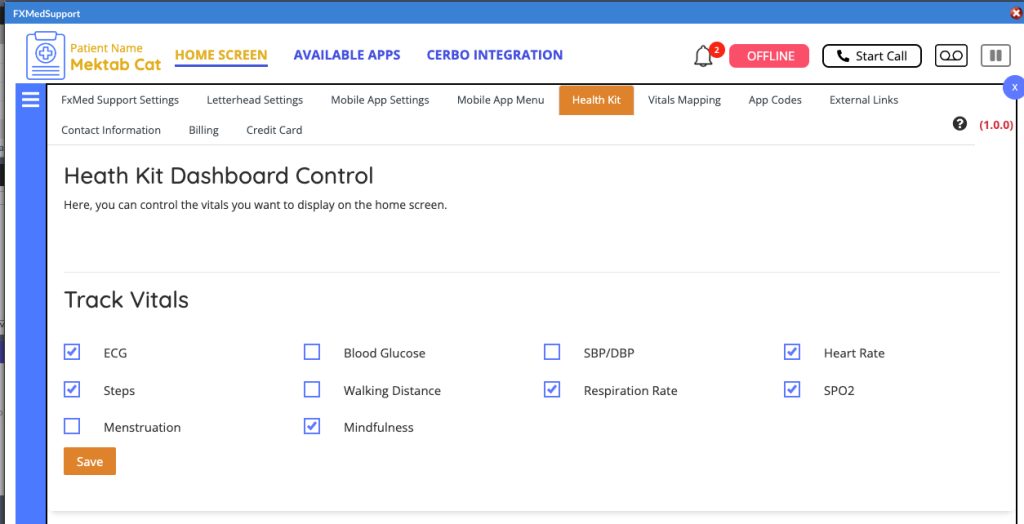
3. Health Kit Integration
4 Footer
5 Data Points
Video Tutorial
1 Header
This Shows What patient the application is currently selected for

This is our main home screen page

This will take you to our Cerbo integration page

Notification System



Integrated Phone System VOIP

Header - Available Apps
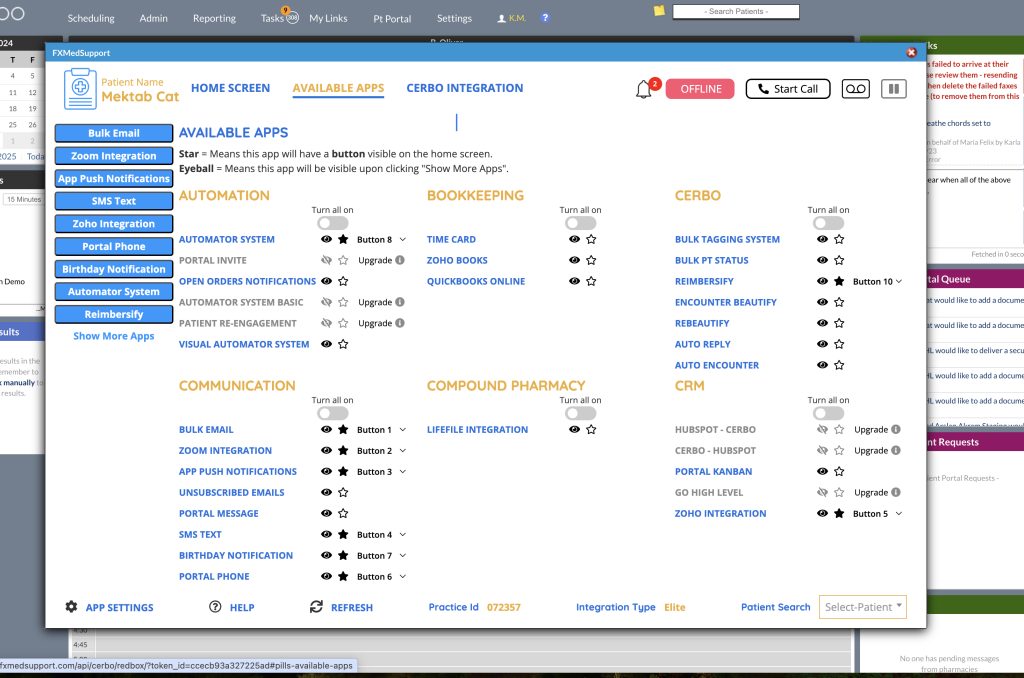
2 App Menu
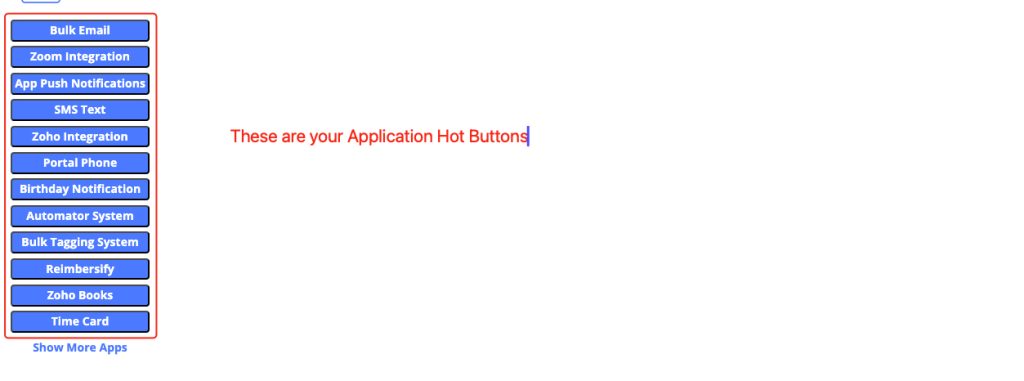
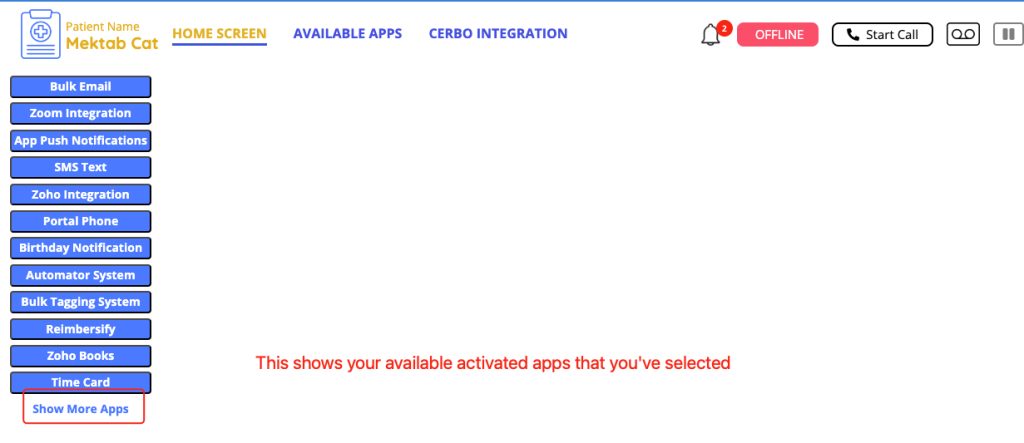
3. Health Kit Integration
4 Footer

- App Settings – Opens Applications setting
- Help Opens online Chat
- refresh – Refreshes the Cerbo Data in the FxMedSupport Application
- Practice ID is your Account ID
- Integration Type is your current level of integration
- Patient Select allows you to select a new patient to load in the FxMedSupport Application
5 Data Points
Coming Soon!
Video Tutorial